DecentWealth 1.6: Widget and Watch Periods, Dark Mode, Solana Wallets
Key Takeaway
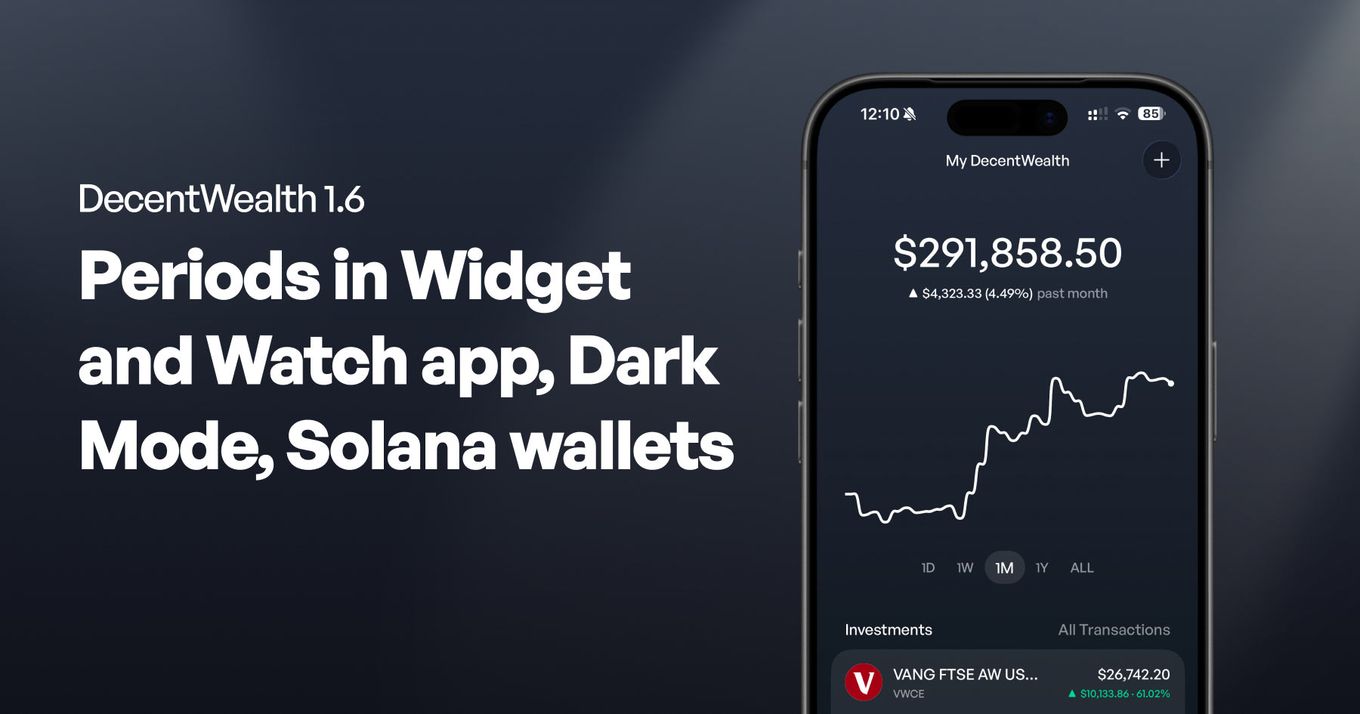
DecentWealth 1.6.0 lets home screen widgets, lock screen widgets, watch face complications and the Apple Watch app each show 24 hours, 1 week or 1 month. The period is chosen on each widget separately, through the system Edit Widget sheet, so two can sit side by side on different periods. The week and month views are also drawn from a daily record covering the whole portfolio, wallets and cash included, and the dark appearance added in 1.5.0 can now be made pure black for OLED screens.
DecentWealth 1.6.0 is live on the App Store. Every widget, watch face complication and the Apple Watch app can now show 24 hours, 1 week or 1 month, and you pick the period on each one separately. This page also covers 1.5.0, released on 20 August.
Pick the period on every widget and watch face
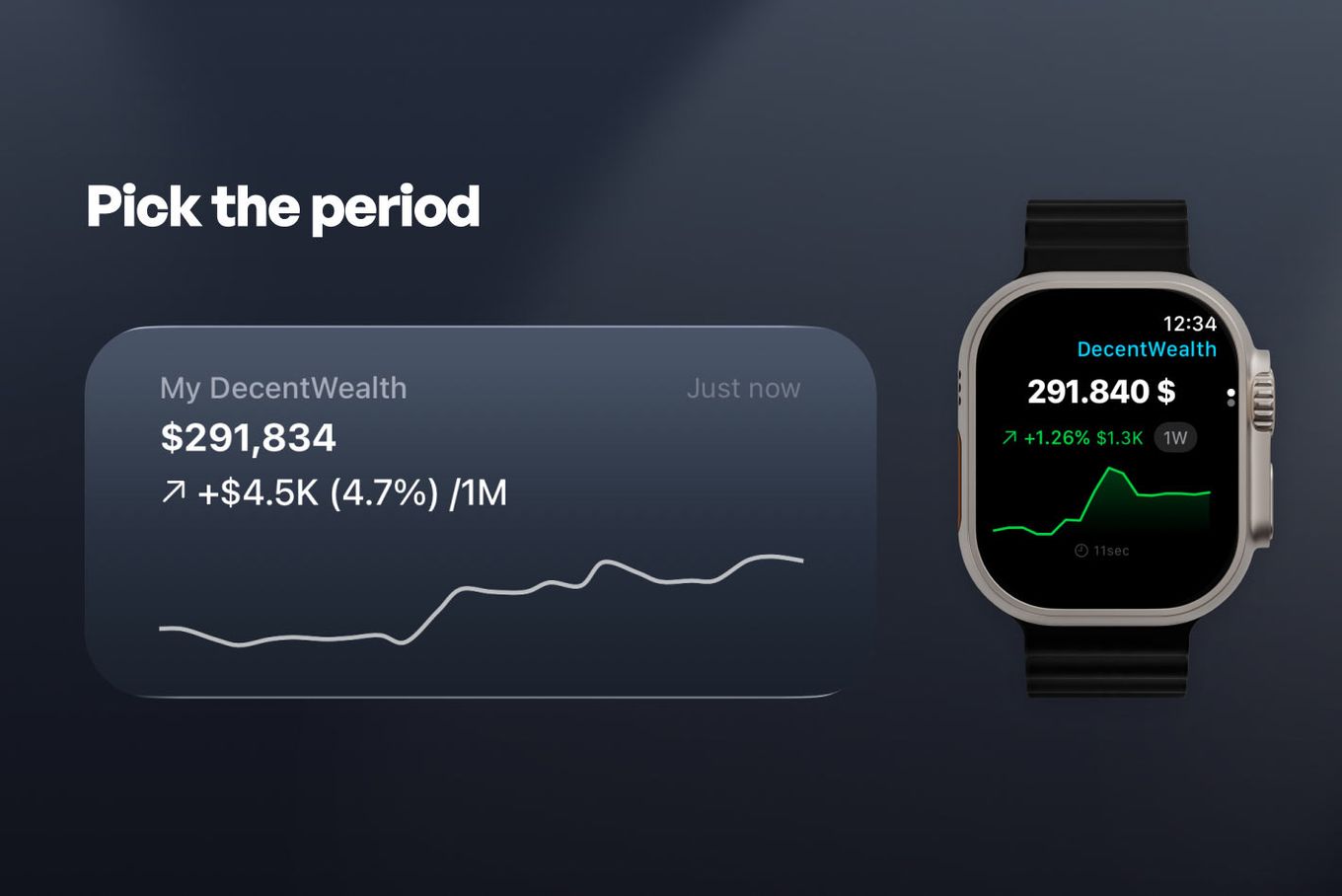
Home screen widgets, lock screen widgets, watch face complications and the Apple Watch app each show 24 hours, 1 week or 1 month.
Touch and hold a widget, choose Edit Widget, and pick the period. On the watch, tap the change to cycle through them, or set a complication's period in the watch face editor.
The period belongs to the widget you placed, not to the app. That is the part worth knowing, because it means two widgets can sit side by side on different periods: one watching today, one watching the month. Neither moves when you change the other, and neither moves when you change the period inside the app.
It also means you never open the app to change what a widget shows. The control is where iOS already puts widget settings, which is where people look for it.
DecentWealth ships all six widget families, and the period applies across them:
- Home screen, in small, medium and large.
- Lock screen, in the three accessory shapes. Circular shows the total in compact form with the change underneath. Rectangular adds a direction arrow and a sparkline. Inline sits beside the clock as a single line.
- Apple Watch complications in all four styles: circular, rectangular, inline and corner.
Every one of them shows your portfolio in the display currency you chose in the app, not in dollars.
The lock screen shapes use no colour, on purpose. iOS renders them through a vibrancy layer that strips colour out, so a green gain and a red loss would both arrive as the same grey. DecentWealth uses an up or down arrow instead, which survives that layer and reads correctly on a black and white lock screen.
"Personally this app is a new possibility to track my wealth portfolio. Tried at least a few and stopped at this one. UX is friendly, analytics fetch real data, widget for Home Screen. Simple and that's it."
The week and month cover everything you track
The 1 week and 1 month views are drawn from a daily record of your whole portfolio: crypto wallets and cash accounts alongside your stocks, ETFs and the assets you entered by hand. Every other history in the app comes from transactions, and wallets, manual assets and cash have none, so a chart drawn that way disagreed with the total printed above it.
Your portfolio value is noted once a day, on your device. Nothing about it leaves the phone, and the record is deliberately left out of iCloud sync, because it is a record of what one device saw.
The record begins with this update, so the charts do not change on the day you install it. A week view needs about five days of record before it appears, and a month view about three weeks. Until then the app keeps drawing the older chart rather than labelling three days as a month.
Dark mode, and pure black for OLED
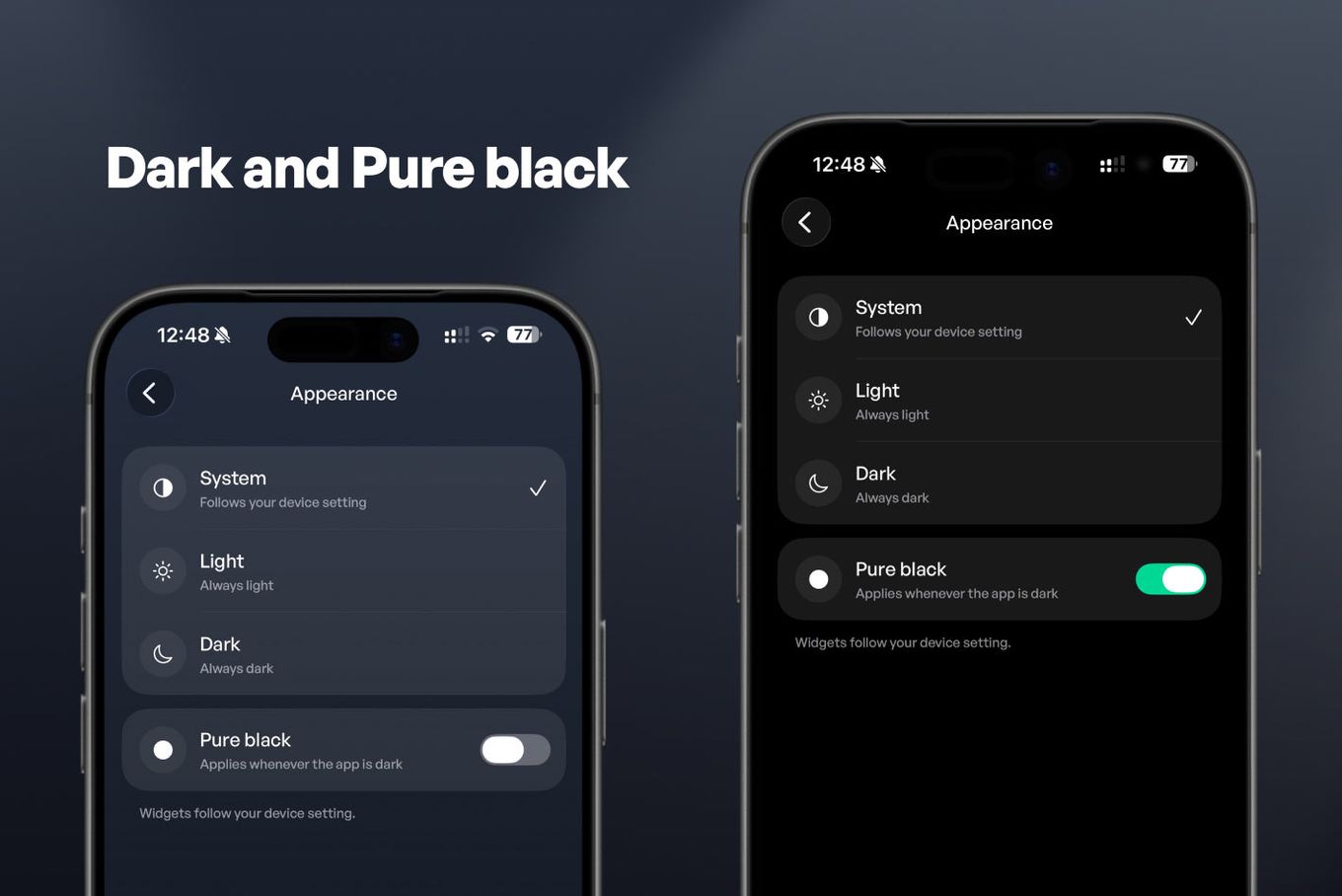
Settings, then Appearance. System follows your device and is the default, Light stays light, Dark stays dark.
Version 1.6 adds a pure black option, which makes the dark backgrounds fully black rather than dark grey. On an OLED screen a black pixel is an unlit pixel, so the difference is visible rather than theoretical.
Pure black is a switch alongside the three options rather than a fourth option in the list. As a fourth mode it would compete with System, which would mean anyone letting their device decide could never have a black night.
Solana wallets read balances straight from the network
Paste a Solana address and the app asks the Solana network for the answer itself, using the same public JSON-RPC methods a block explorer uses: getBalance for your SOL, and getTokenAccountsByOwner for the tokens held at that address.
The second of those is why some of your tokens were missing. It takes a program ID and returns only the accounts belonging to that one program, so a wallet reader has to ask once per program. Version 1.5 asks twice: once for the original SPL Token program, and once for Token-2022.
Token-2022 is Solana's newer token program, a superset of the original that lets an issuer attach behaviour to a token without forking anything.
You still paste a public address and nothing more, the same string you would put into a block explorer. A public address is readable by anyone and gives up no control. DecentWealth reads publicly available blockchain data, never asks for private keys or seed phrases, and cannot move your funds.
Your average cost stays the number you typed
If you hold something priced in a currency other than your display currency, your average cost and total invested were being recalculated at the current exchange rate every time you opened the app. You typed one number and were shown a different one, which drifted as the rate moved.
Version 1.5 keeps both figures exactly as you entered them.
You will see your average cost and total invested change once when you update, because the corrected figure replaces the drifting one. After that they hold still. Only holdings priced outside your display currency are affected.
A closed position now reports its profit in the currency you actually traded in. Your display currency remains one of 45.
45
fiat currencies available for display, valuation and cash accounts alike
Source: SupportedCurrency enum, DecentWealth app source, re-counted 7 September 2026
Market comparison
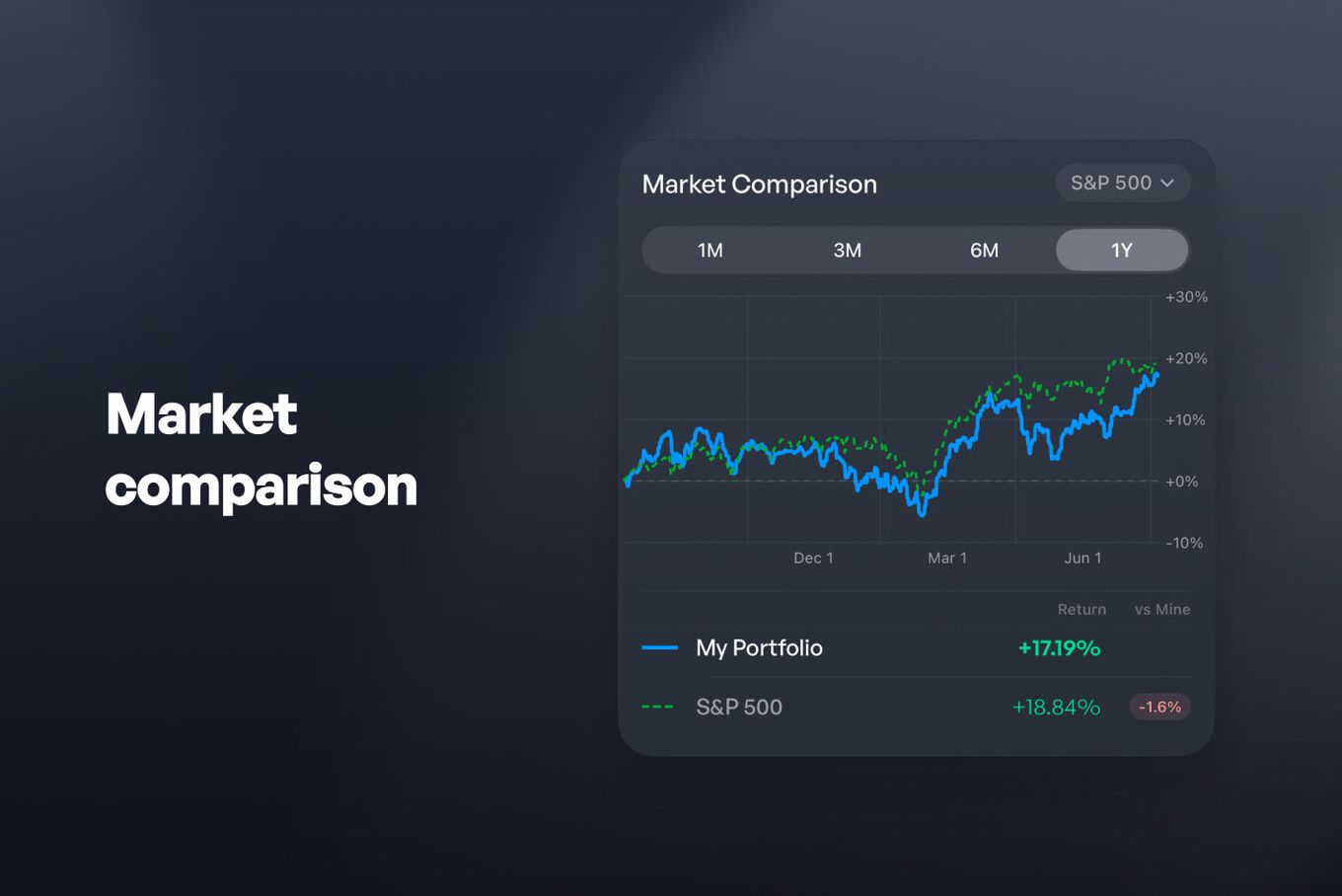
Benchmark Comparison, which charts your portfolio against the S&P 500, NASDAQ, DAX and others, now follows your portfolio as it changes. It used to chart a snapshot that went stale as soon as you edited a holding.
Money you deposit is also no longer counted as return. A deposit and a gain are different events: one moves cash into the portfolio, the other is the portfolio earning something. Counting the first as the second made any month where you added cash look like a month where you had beaten the index. The comparison now keeps your contributions out of the line.
Benchmark Comparison is a Premium feature. Sector Allocation, the Monthly Performance Heatmap, Dividend Analytics, unlimited assets, iCloud sync and tax export sit alongside it at $29.99 a year in the US. Everything else described on this page is in the free app.
What has not changed
No account. No email. No sign-up screen between you and your own numbers. Your holdings, cash accounts and net worth live on your device.
The honest version of that claim has edges, and they are worth stating. Prices come from public APIs, so the app fetches quotes over the network. Reading a public blockchain means asking a node, so a wallet address you add is sent to a Solana or Ethereum RPC endpoint, exactly as a block explorer would. Optional iCloud sync uses Apple's servers and is end-to-end encrypted.
The providers behind those calls are worth naming, since a tracker that will not say where its numbers come from is asking for more trust than it has earned. Stock and ETF prices come from EODHD. Blockchain balances come from Alchemy and Helius, with Bitcoin read through mempool.space and DeFi positions through DefiLlama. Precious metals spot prices come from gold-api.com.
What does not exist anywhere in that list is an account of ours, an analytics SDK inside the app, or a server of ours holding a copy of your portfolio. The App Store privacy label reads Data Not Collected, and you can check that on the listing rather than taking our word for it.
The app is also still built the way it was:
98 of 212
DecentWealth source files that import SwiftUI, against 3 that import UIKit, with zero third-party frameworks
Source: DecentWealth app source, counted 7 September 2026
Get the update
Version 1.6.0 is live on the App Store and needs iOS 18 or later. If you already have DecentWealth, the update carries your portfolio across untouched: there is no account to sign back into, because there was never one to begin with.
Track your portfolio privately
Stocks, crypto, real estate, and more. No account required.

Frequently Asked Questions
How do I change the period on a widget?
Can two widgets show different periods at the same time?
Why has my month chart not changed after updating?
Do the lock screen widgets show colours?
Where is the dark mode setting?
What is the difference between Dark and pure black?
Why did my average cost change once after updating?
Track your portfolio privately
Stocks, crypto, real estate, and more. No account required.