How to Track Stocks, ETFs, and Crypto in One App
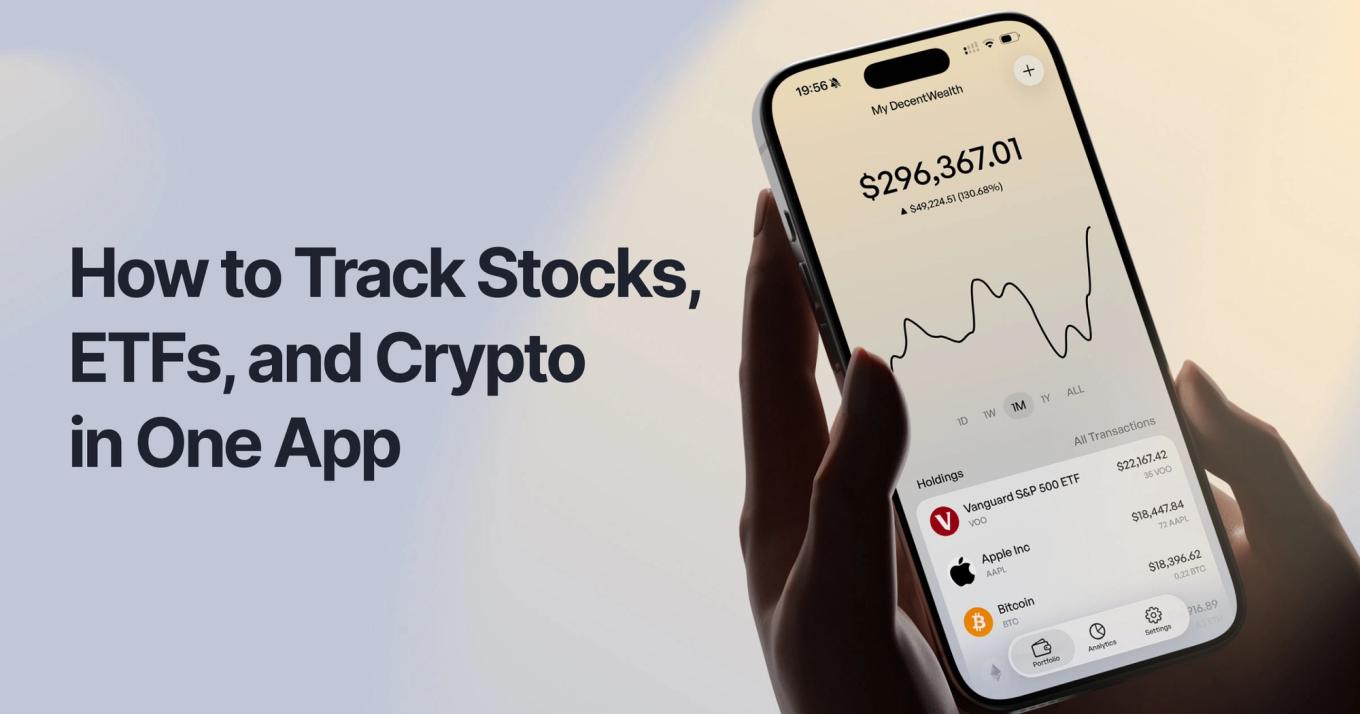
Key Takeaway
You can track stocks, ETFs, and crypto in one iPhone app without creating an account or connecting your brokerage. Add stocks by ticker, crypto by wallet address, everything else manually. Data stays on your device. Setup takes under a minute.
Most people's money lives in at least three places now. A brokerage for stocks and ETFs. A crypto wallet (or five). Maybe a retirement account your employer set up, plus a savings account you haven't touched since 2022. The result: you have no idea what your actual net worth is unless you open four apps and do some mental math.
This is especially true if you're under 35. The idea that "investing" means one Vanguard account feels very 2012. Today a realistic portfolio is VOO + some BTC + a little ETH + maybe a dividend ETF you discovered on TikTok. The apps that exist for tracking all of this mostly fall into two camps: they want your login to your brokerage, or they want you to post your returns to a feed.
Neither of those is what you want. You want one app. On your phone. That shows you your whole picture without turning your money into content or a marketing list.
Here's how that actually works.
What is an All-in-One Portfolio Tracker?
An all-in-one portfolio tracker is a single app that shows your combined holdings across stocks, ETFs, crypto, and other assets in one view, letting you see your total net worth, asset allocation, and performance without switching between your brokerage and exchange apps.
The important word is "view." The tracker doesn't move your money. Your stocks stay at your broker. Your crypto stays in your wallet. The tracker just reads public price data and shows you what everything is worth right now, together, in one screen.
Why People Are Tracking Everything in One App in 2026
This isn't a vibe, the numbers are clear. Most investors now own multiple asset types and want one place to see them.
21% of U.S. adults own cryptocurrency in 2025, according to Motley Fool Money's Cryptocurrency Investor Trends Survey The Motley Fool — that's 1 in 5 American adults. Almost all of them also hold stocks.
A Kraken survey of U.S. adults who hold both crypto and stocks, conducted in June 2025, found 65% believe cryptocurrencies have the most growth potential over the next decade Kraken — meaning dual-asset investors aren't hedging, they're building portfolios that span both worlds.
The privacy piece is just as loud:
- Over 50% of Millennials and Gen Z prefer financial apps with end-to-end encryption features, and 47% of consumers are willing to pay more for financial services that prioritize data security CoinLaw (CoinLaw, 2025).
- 72% of US consumers said they would switch financial institutions if they felt their data wasn't secure, and only 37% of consumers trust financial institutions to keep their data private CoinLaw (CoinLaw, 2025).
- 57% of Gen Z prioritize advanced identity and credit protection, and 50% are looking for data protection for their most important digital assets CoinLaw (CoinLaw, 2026).
- Over half (52%) of Gen Z are now anxious about online privacy and misinformation Experian, according to Experian's UK Fraud and Fincrime Report 2025.
Translation: a lot of people want one app for their portfolio, and a lot of those same people no longer trust traditional financial apps to handle their data.
The Expert View
"Surveillance is the business model of the Internet." A-Z Quotes
— Bruce Schneier, security technologist, fellow at Harvard Kennedy School, and author of Data and Goliath
Schneier's been saying this for a decade. It applies to portfolio trackers the same way it applies to social apps: when you don't pay with money, you pay with data. Your holdings, your transactions, your timing, your behavior. All of that is worth something to someone, which is exactly why most trackers are free and require an account.
A privacy-first tracker breaks that model by charging for premium features (like sync) instead of monetizing your data.
The Three Ways People Currently Try to Do This (And Why They Break)
1. The spreadsheet
Someone on Reddit told you Google Sheets is all you need. It's not. You spend your Sunday manually updating prices, and half your crypto tokens aren't on any public API you can plug into a cell. Dividends? Good luck.
2. The broker's built-in dashboard
Fidelity shows you Fidelity. Coinbase shows you Coinbase. Neither shows you both, and neither will ever show you both, because that's not the business they're in.
3. A "social" portfolio app
Apps like getquin work if you want to post your returns to a feed and compare yourself to strangers. If you'd rather not put your financial life on a timeline, and you really don't want to hand over your full holdings so an algorithm can decide which ones to promote, that model is a mismatch.
How to Track Stocks, ETFs, and Crypto in One App (Step-by-Step)
Here's how this actually works with a privacy-first tracker. Using DecentWealth as the example because that's what we built, but the process is the same for any on-device tracker.
Step 1: Download the app
Free on the App Store. No account, no email, no "verify your identity" flow. Open the app and you're in.
Step 2: Add your stocks and ETFs
Search the ticker (AAPL, VOO, SCHD, whatever), enter the number of shares and your cost basis. The app pulls real-time prices for over 100,000 stocks and ETFs and calculates your profit or loss automatically. Repeat for each position. Takes about 10 seconds per holding.
Step 3: Add your crypto by wallet address
This is the part that's actually magical. Paste your public wallet address — just the string you'd share to receive funds — and the app reads your token balances directly from the blockchain. No exchange login. No API keys. No giving a third party read access to your Coinbase account. Works across 18 networks including Bitcoin, Ethereum, Solana, Base, and Arbitrum. If you hold assets on a centralized exchange, enter those manually as a holding.
Step 4: Add anything else
Real estate, retirement accounts, cash, vehicles, loans. These don't have ticker symbols, so you enter the current value manually. Now your net worth reflects everything, not just the stuff that happens to live in a brokerage.
Step 5: Lock it with Face ID
One tap in settings. Now even if someone has your phone, your portfolio is behind your face.
Step 6 (optional): Turn on iCloud sync
If you want your portfolio on your iPad and Apple Watch too, enable iCloud sync. Data is end-to-end encrypted in your personal iCloud account. DecentWealth still never sees it.
That's the entire setup. Under a minute if you're fast.
What to Look for in an All-in-One Portfolio Tracker
If you're picking a tracker for both stocks and crypto, check four things: whether you can use it without creating an account, where your data is stored (device vs server), how crypto is imported (wallet address vs exchange login), and whether it supports all the asset types you actually own, including manual entries for things like real estate and cash.
These four answers tell you almost everything about how the app will handle your money, and your privacy, over the long run.
Your Portfolio. Your Device. Your Privacy.
One app. Stocks, ETFs, crypto across 18 blockchains, real estate, retirement, and more. No account. No tracking. Data on your device, not ours.
Frequently Asked Questions
Can I track stocks and crypto in the same app?
Do I need to connect my brokerage account?
How does the crypto tracking work without exchange API keys?
What about assets on centralized exchanges like Coinbase?
Is tracking my portfolio in DecentWealth actually private?
Can I sync across iPhone, iPad, and Apple Watch?
How is this different from social portfolio apps?
Track your portfolio privately
Stocks, crypto, real estate, and more. No account required.